Home › Rental & Property › Rent Payment Ledger Spreadsheet for Excel & Google Sheets
Rent Payment Ledger Spreadsheet for Excel & Google Sheets
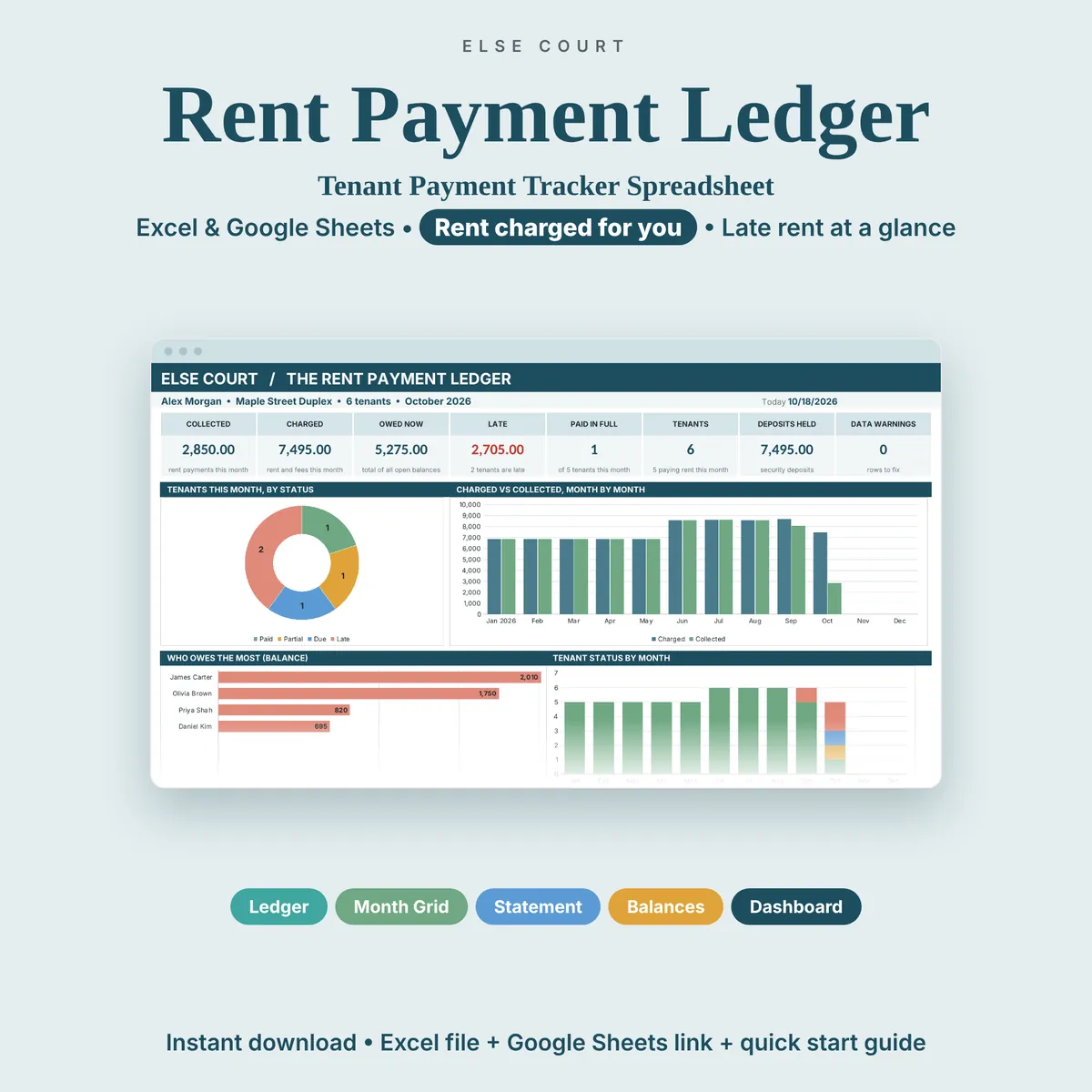
Record every rent payment, see each tenant's balance and spot late payments month by month. The Rent Payment Ledger is a digital download for Excel and Google Sheets: add your tenants once, record each payment you receive, and see at a glance who has paid, who owes what and who is late.
Digital download. Works in Excel and Google Sheets. Nothing is shipped.
What this spreadsheet tracks
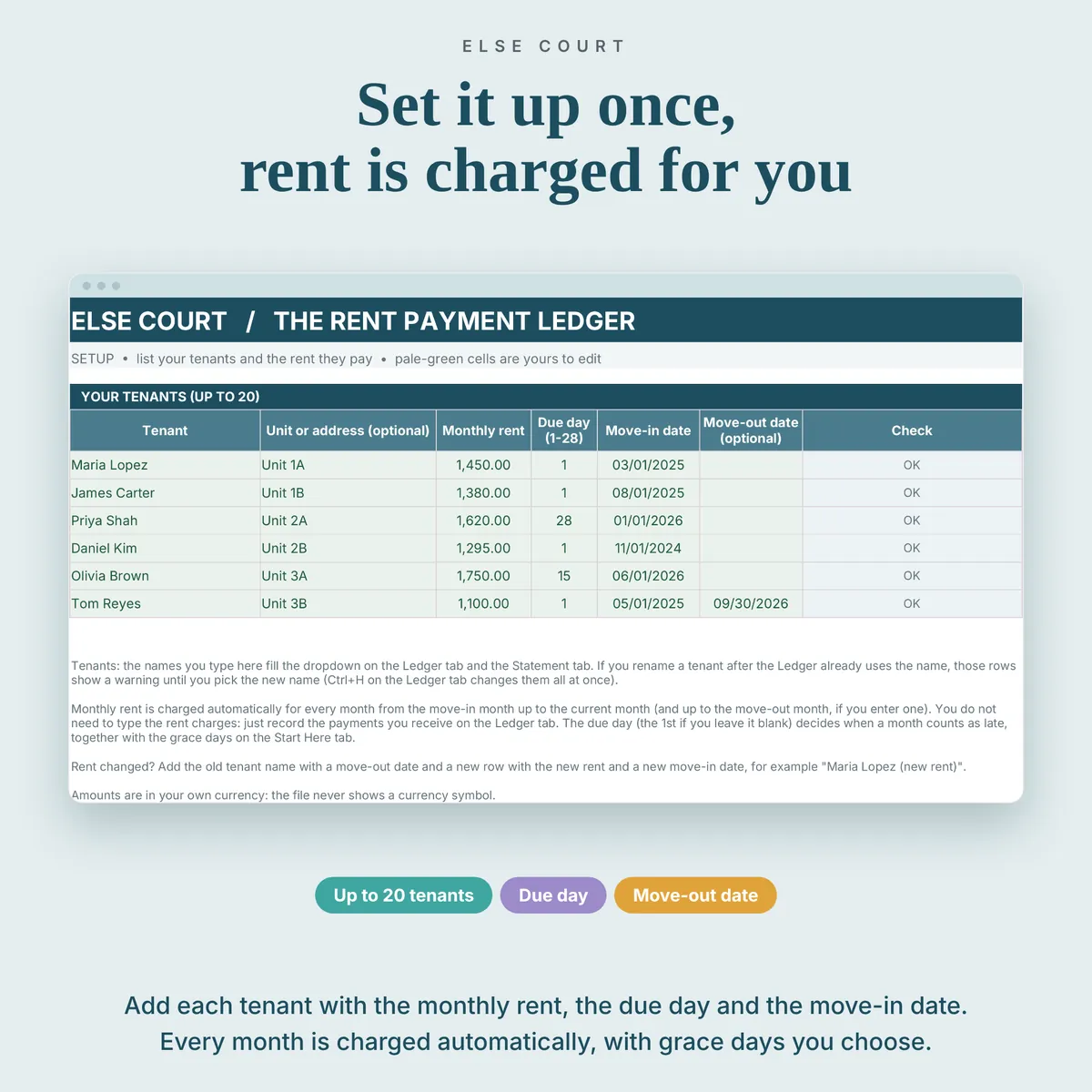
- Tenants, units, monthly rent and due day (up to 20 tenants)
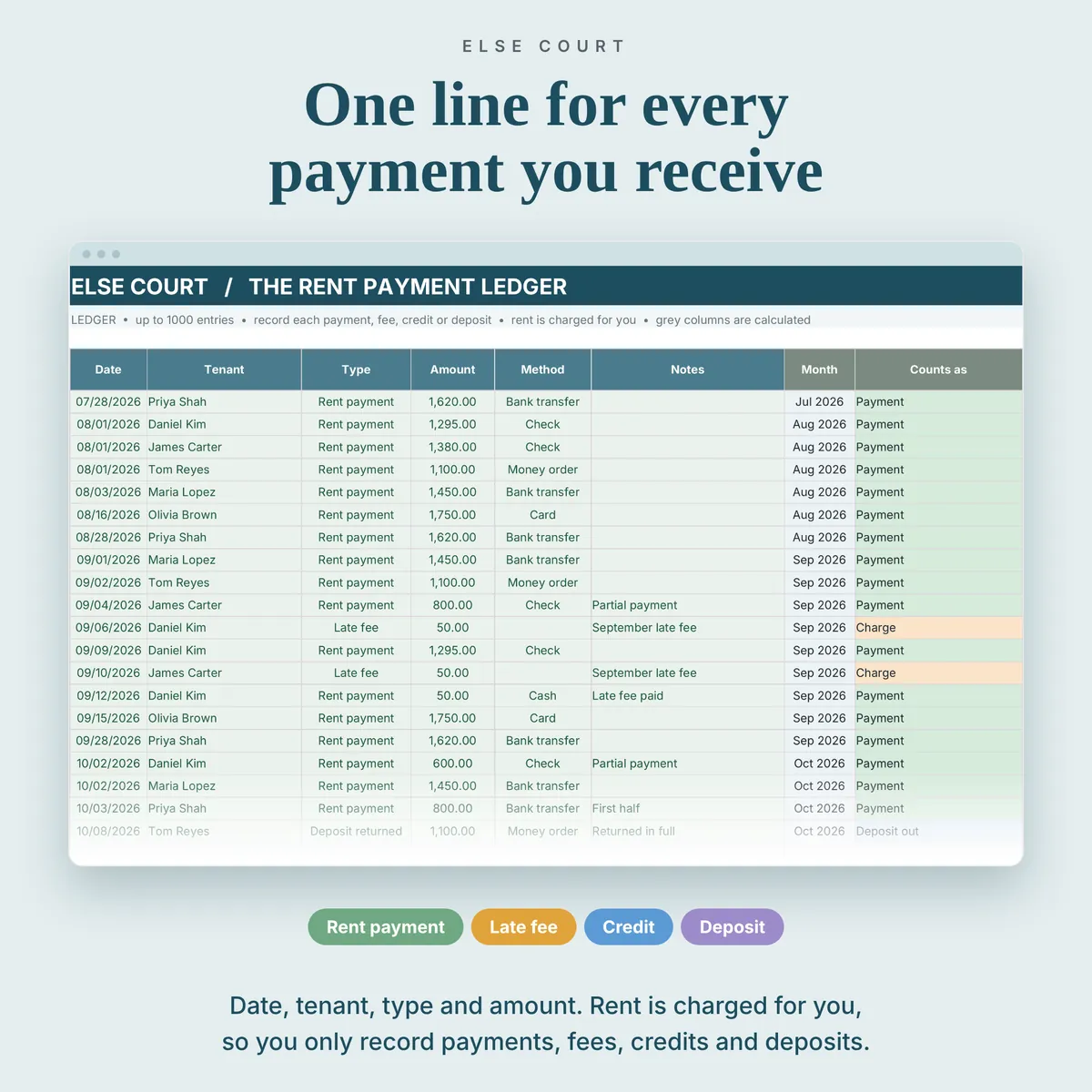
- Every payment, late fee, credit and security deposit in one log
- Rent charged automatically each month from move-in to today
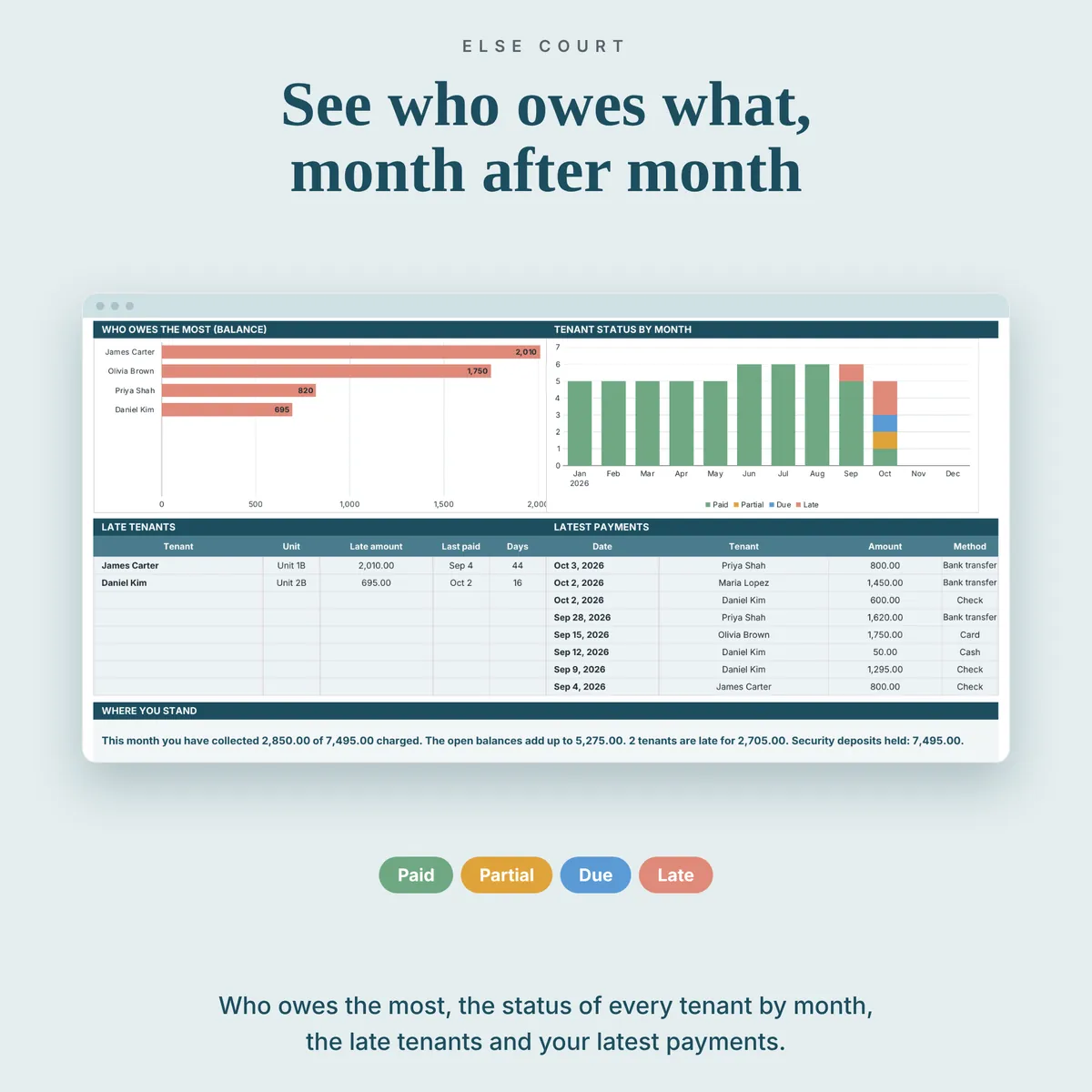
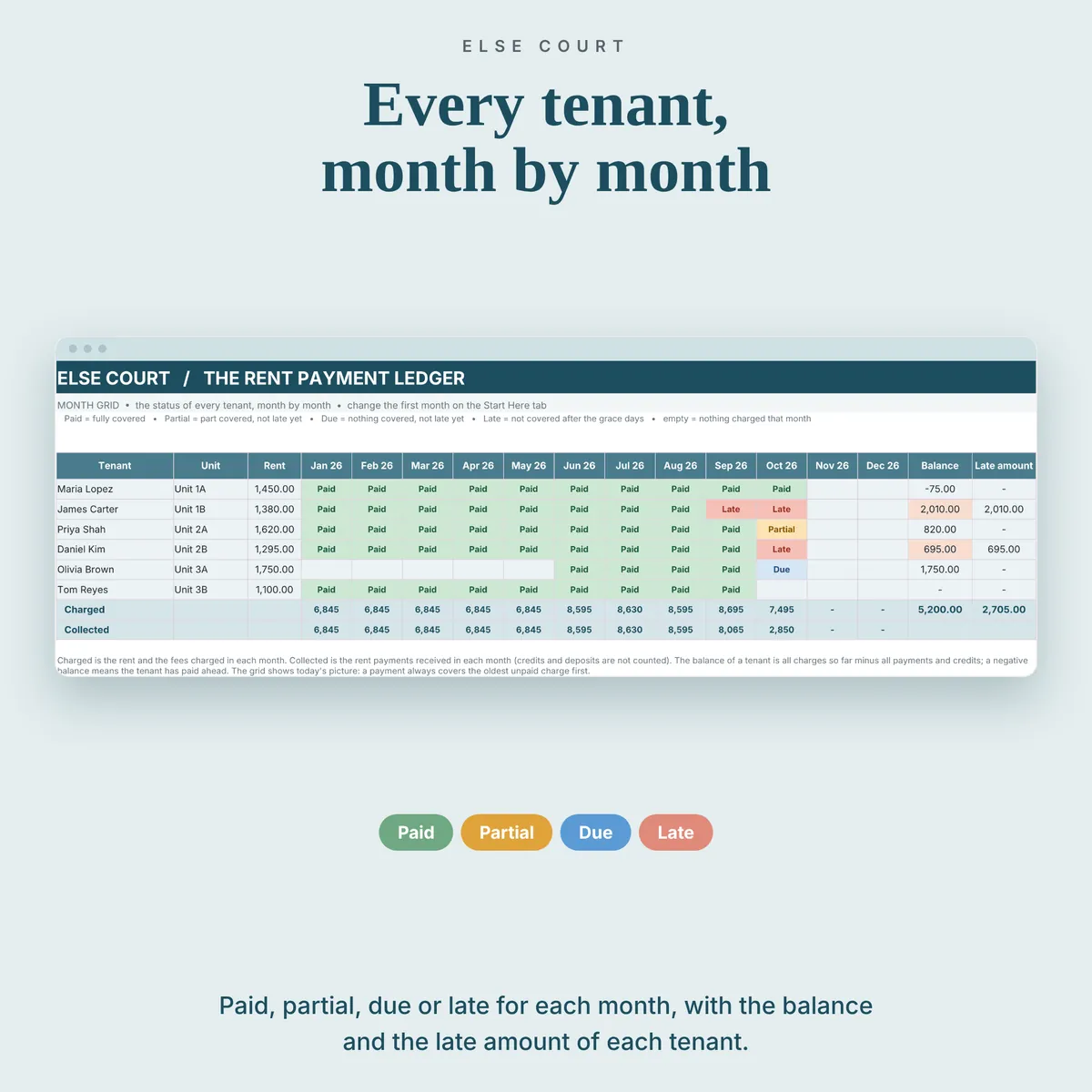
- Month by month status: Paid, Partial, Due or Late
- Balance for each tenant, with the oldest charge covered first
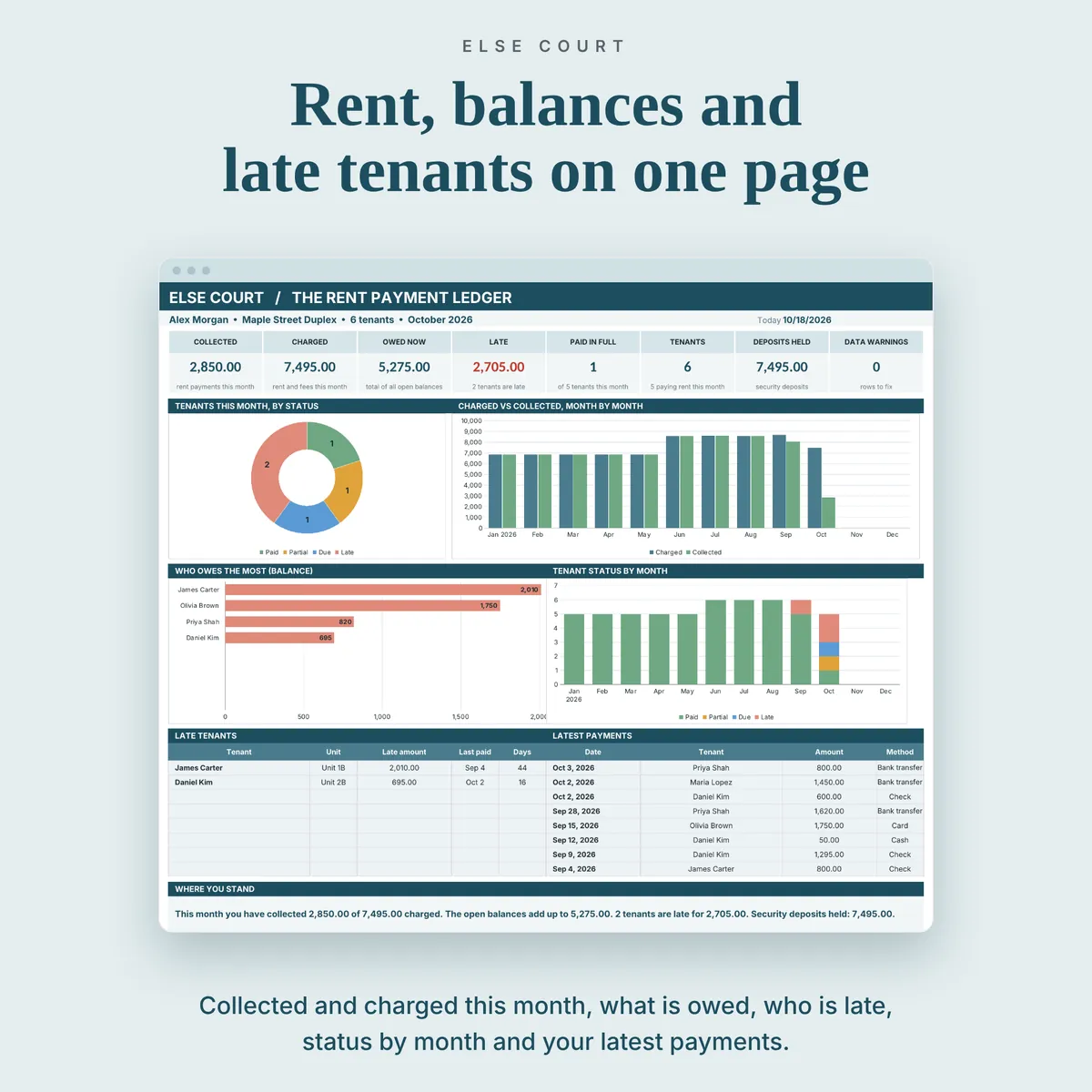
- A dashboard with collected, charged, owed and late amounts
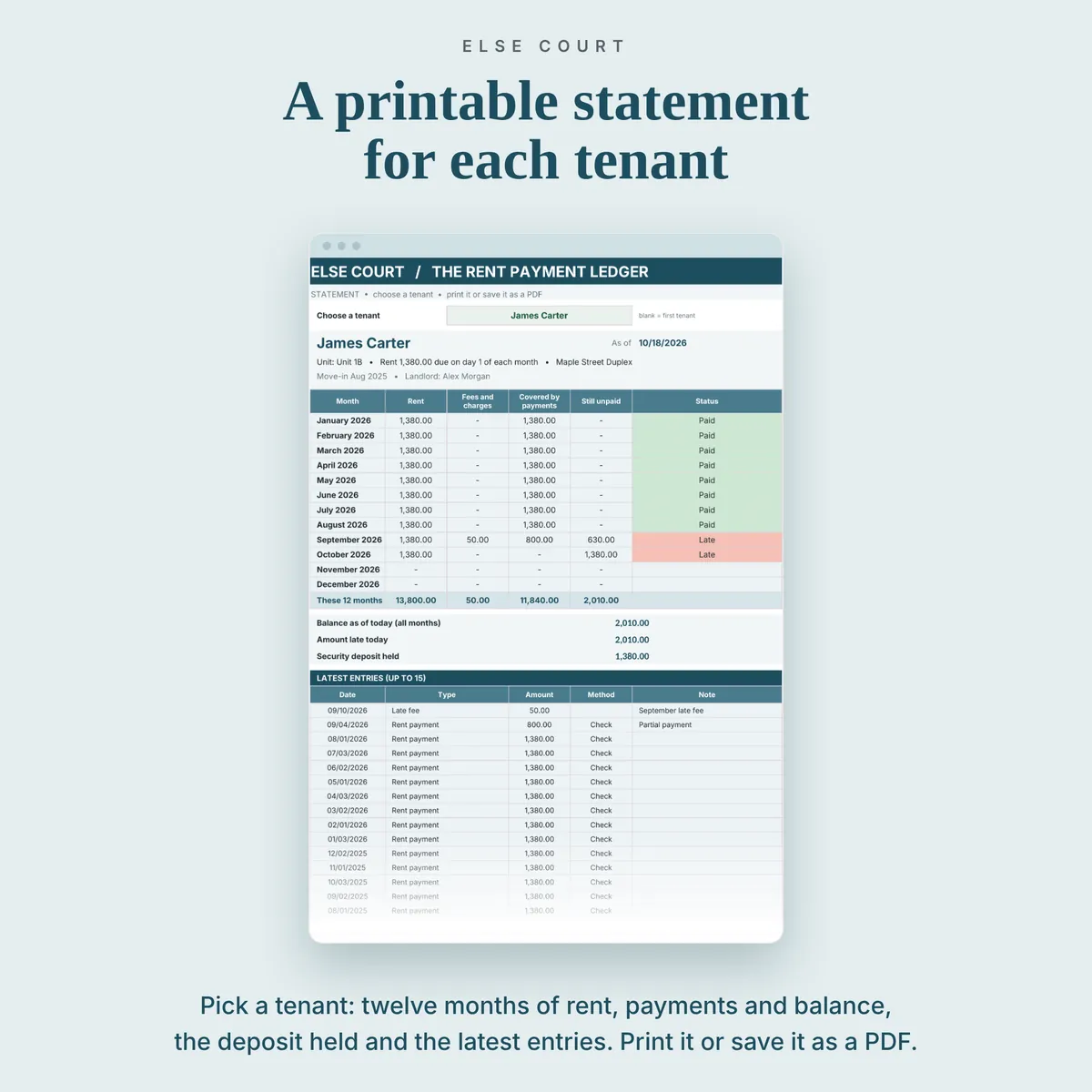
- A printable statement for any tenant
Who it's for
- Landlords and small property owners with a few tenants
- Anyone who collects rent and wants a clear record of who paid and when
- People who prefer a simple spreadsheet to property management software
How it works
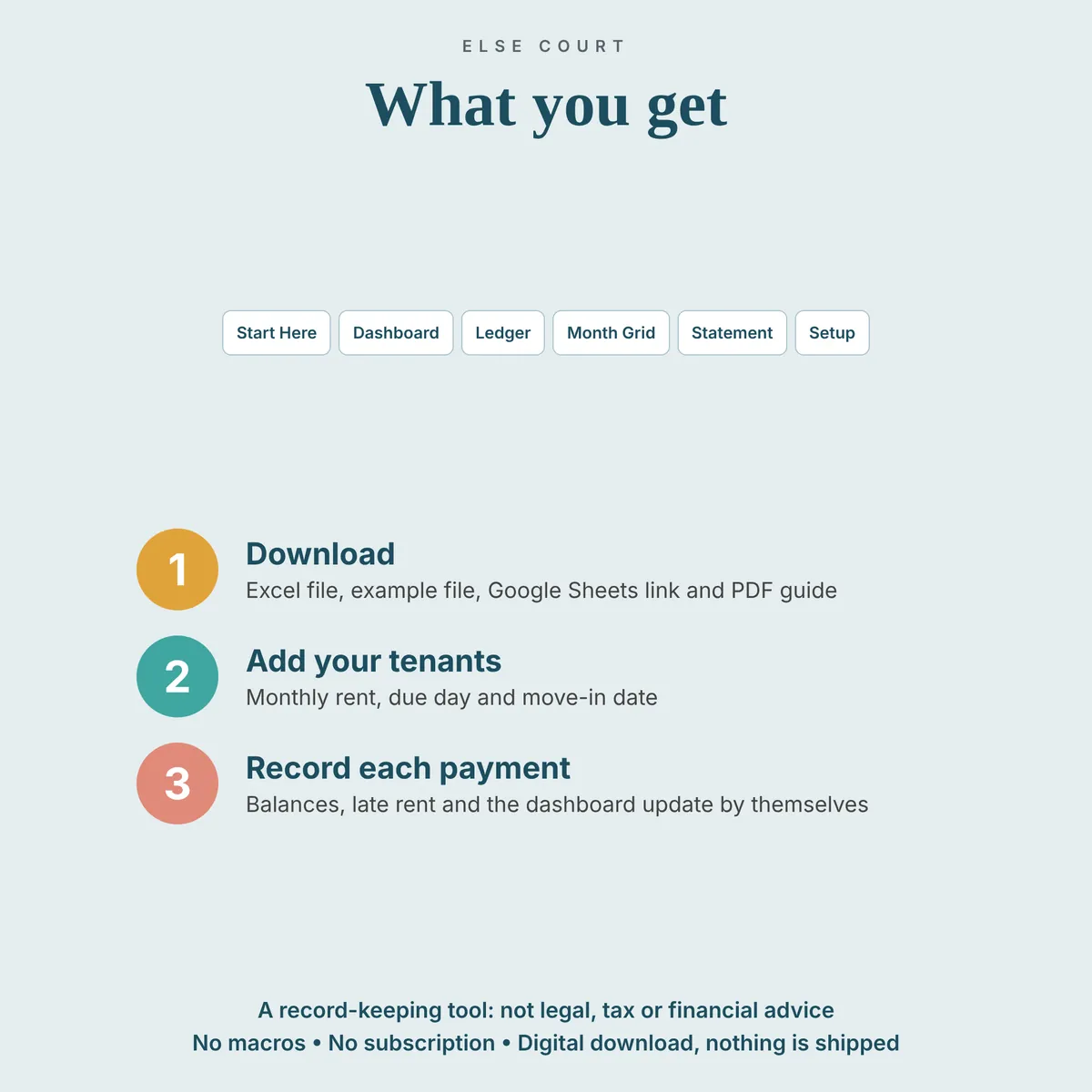
- Enter your tenants once on the Setup sheet: name, unit, rent, due day and move-in date.
- Add each payment you receive to the Ledger as a new row.
- Open the Dashboard to see who has paid, who owes and who is late, then print a statement if you need one.
See inside
Frequently asked questions
Does it work in Excel and Google Sheets?
Yes. You get an Excel file, plus a PDF guide with a link to make your own copy in Google Sheets.
Are late fees added automatically?
No. You decide if and when to record a late fee, because rules differ by lease and location.
Is this a lease or legal advice?
No. It is a record-keeping spreadsheet, not a contract or legal advice.