Home › Personal Finance › Debt Payoff Tracker Spreadsheet (Snowball & Avalanche)
Debt Payoff Tracker Spreadsheet (Snowball & Avalanche)
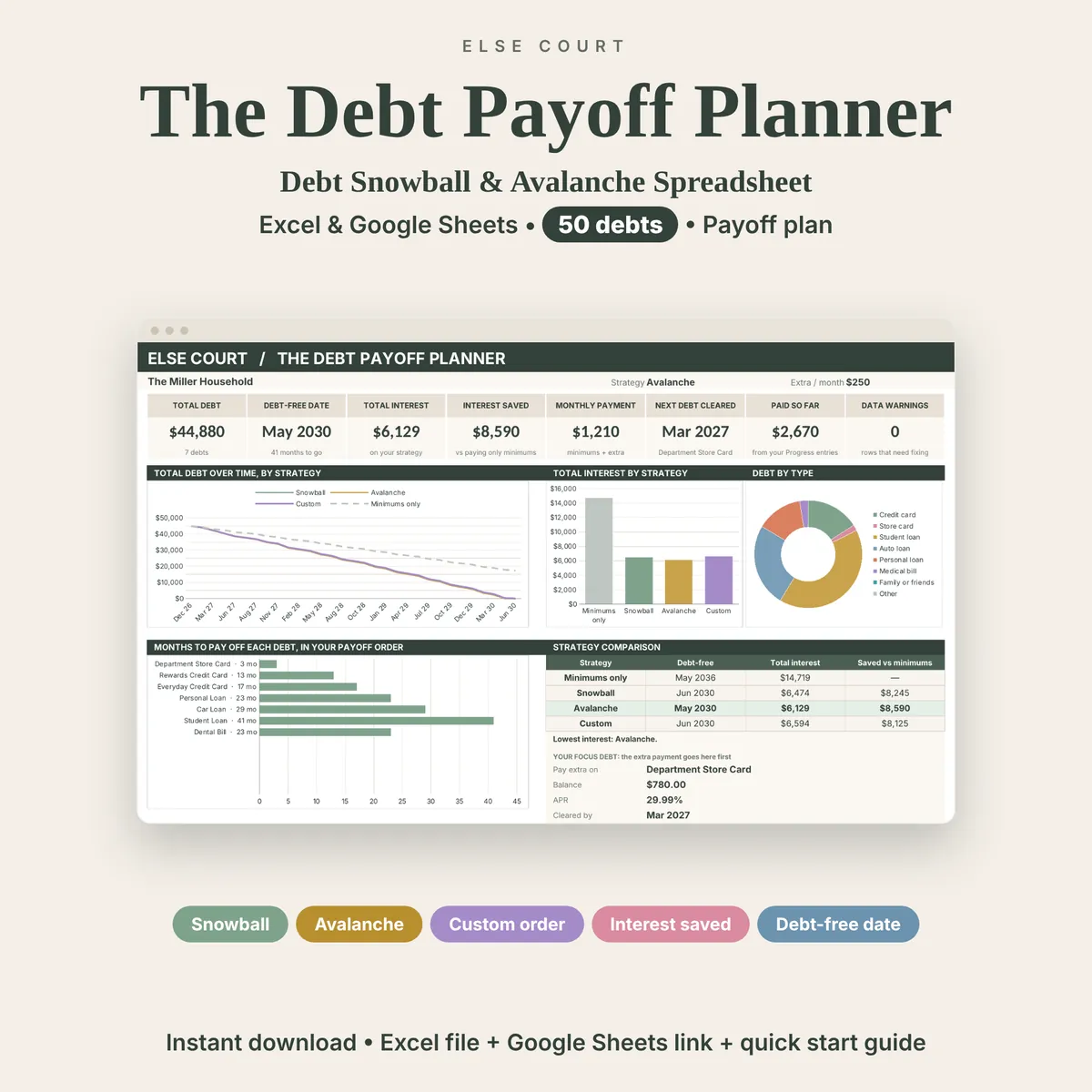
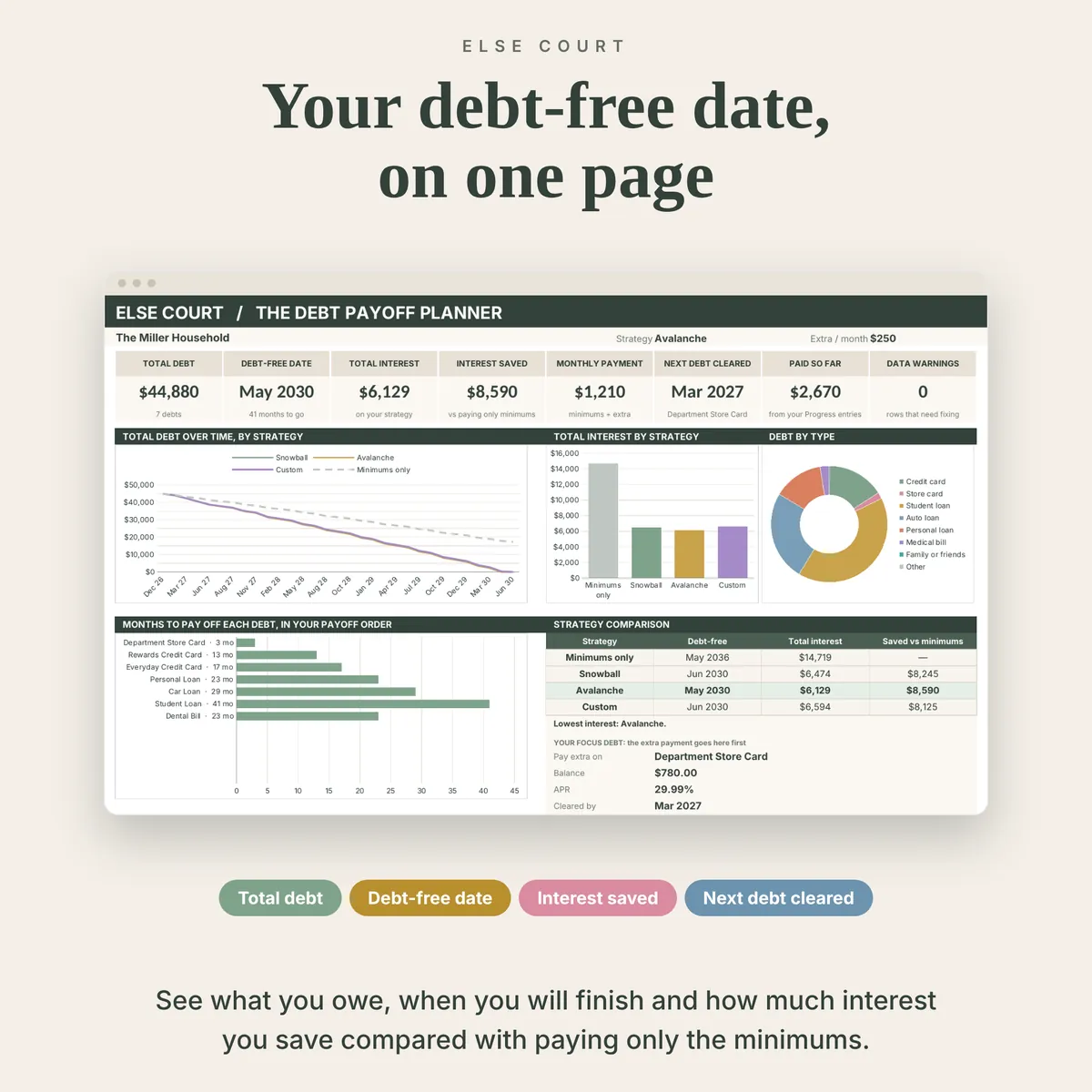
A debt payoff plan is easier to follow when you can see where it ends. The Debt Payoff Planner takes your debts, your minimum payments and an extra monthly amount, and shows a debt-free date and the interest you would pay.
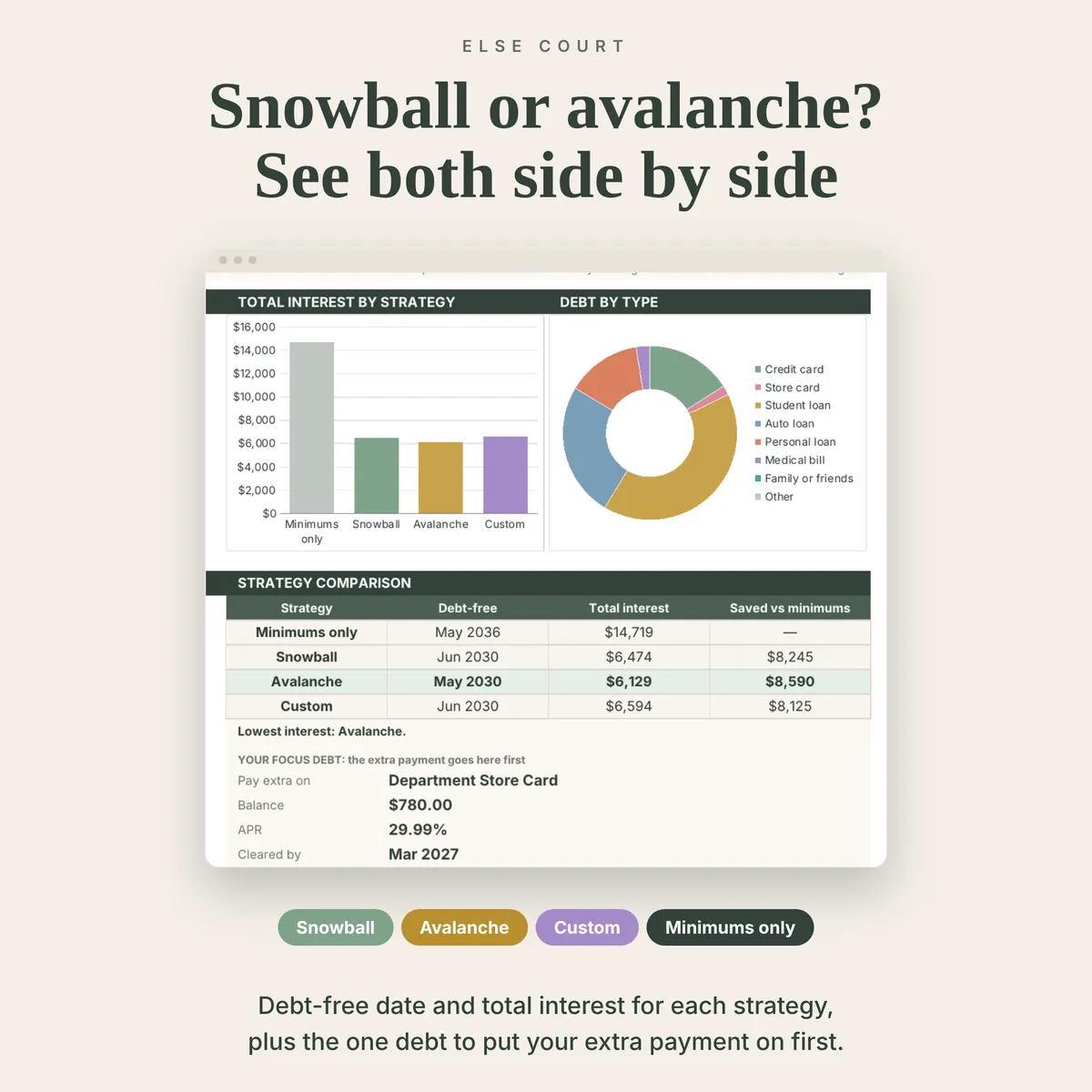
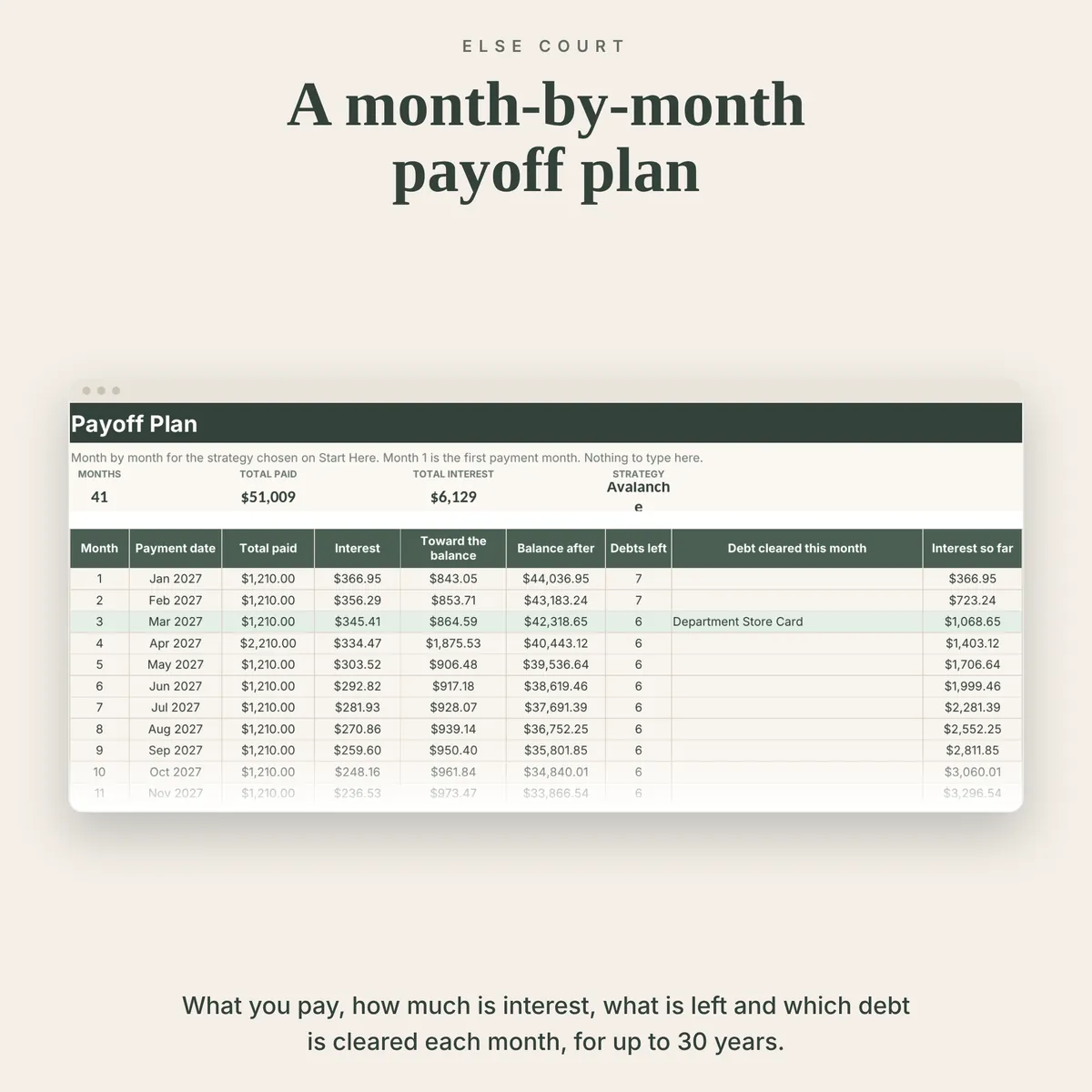
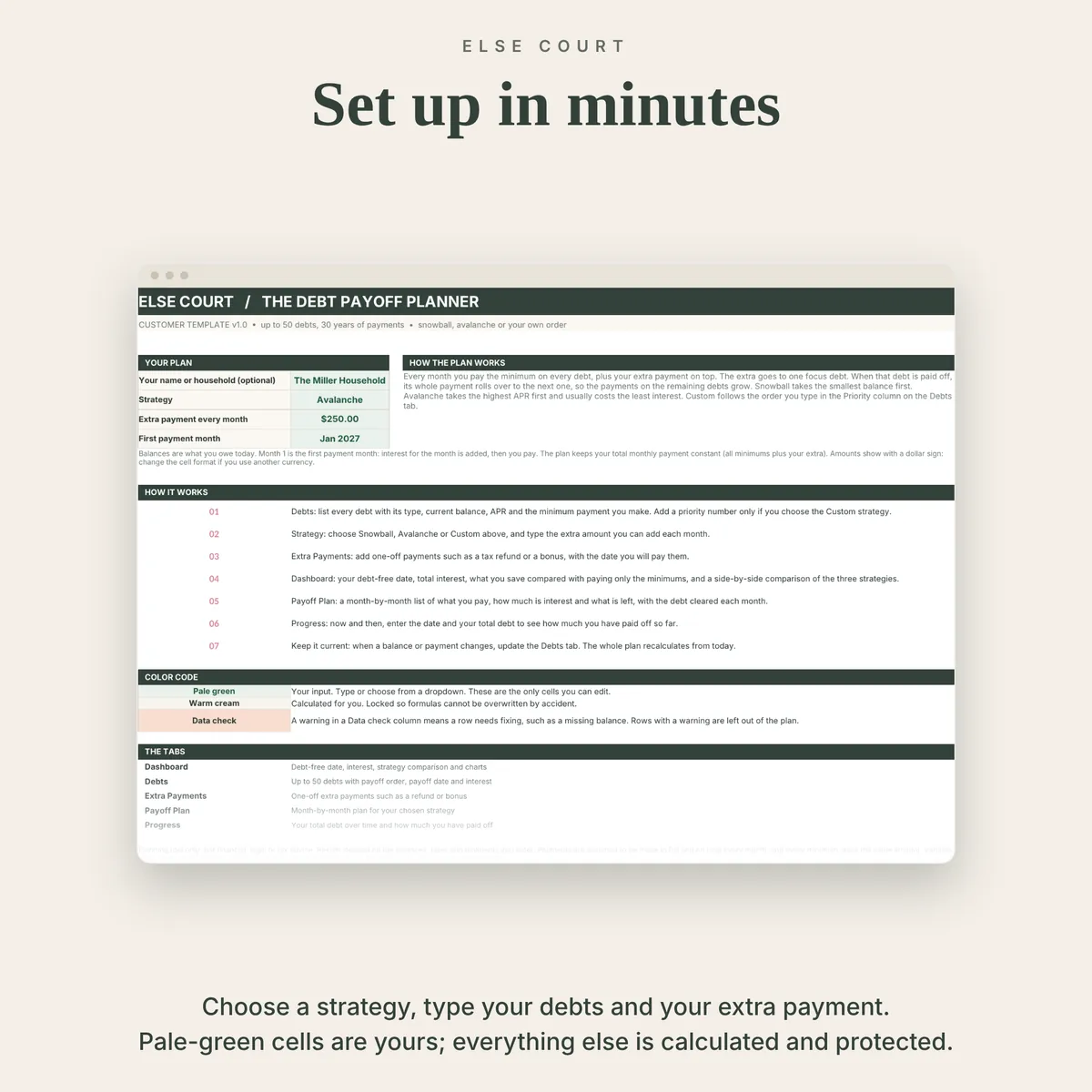
Choose snowball (smallest balance first), avalanche (highest rate first) or your own order. The sheet compares them side by side with paying only the minimums, and builds a month-by-month plan in which each cleared debt rolls its payment over to the next.
It is a digital download for Excel and Google Sheets, with room for up to 50 debts.
Digital download. Works in Excel and Google Sheets. Nothing is shipped.
What this spreadsheet tracks
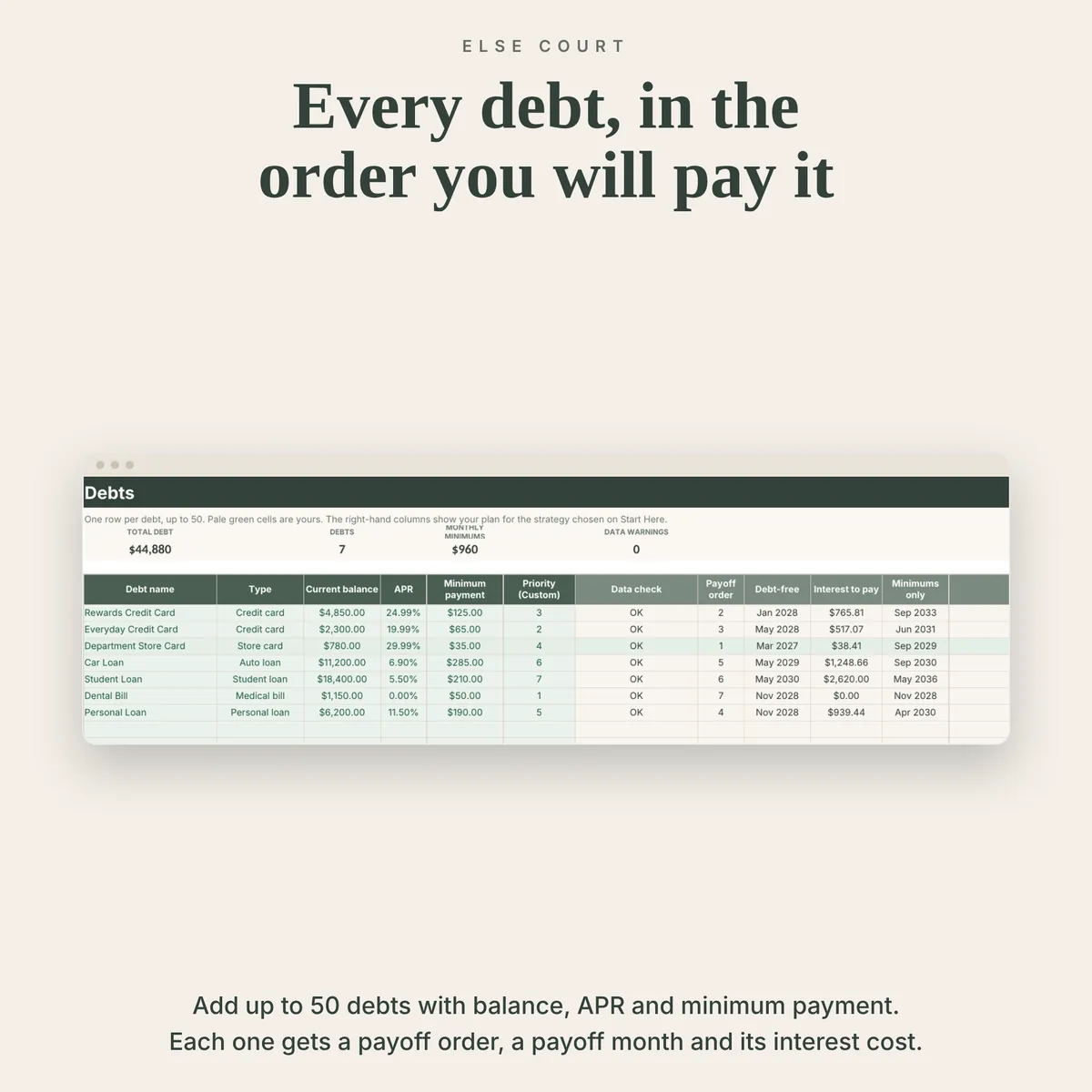
- Up to 50 debts with type, balance, APR and minimum payment
- Snowball, avalanche, custom order and minimums only, compared side by side
- Debt-free date, total interest and interest saved for each strategy
- A month-by-month payoff plan for up to 30 years
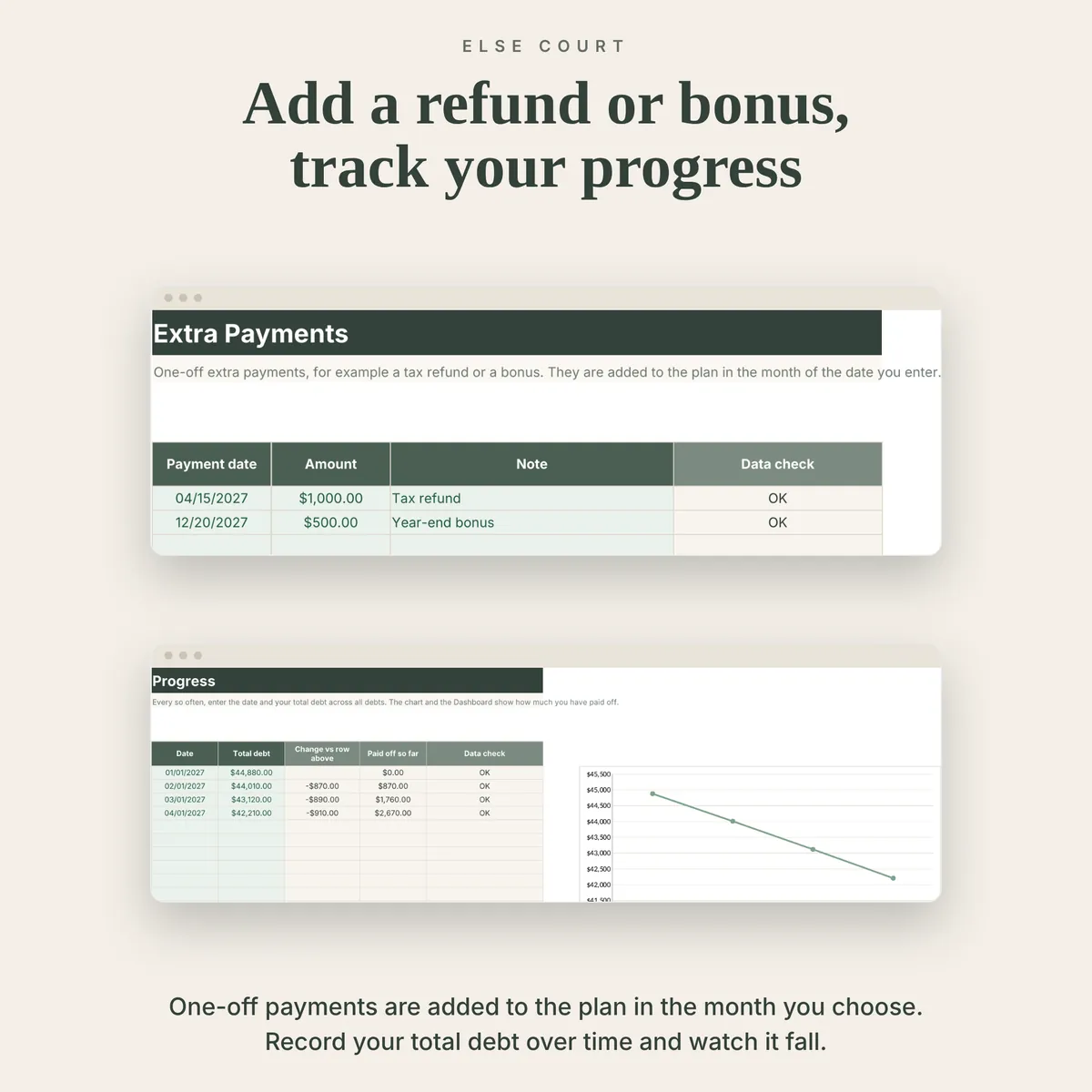
- One-off extra payments such as a tax refund or a bonus
- A progress log with a chart of your balance falling
Who it's for
- Anyone with credit cards, loans or other debts to pay down
- People deciding between the snowball and avalanche methods
- Anyone who wants to see the effect of an extra monthly payment
How it works
- Choose a strategy and type your extra monthly payment on Start Here.
- List your debts with balance, APR and minimum payment.
- Add one-off extra payments if you expect any.
- Follow the Dashboard and the Payoff Plan, and update your balances as they change.
See inside
Frequently asked questions
Does it work in Excel and Google Sheets?
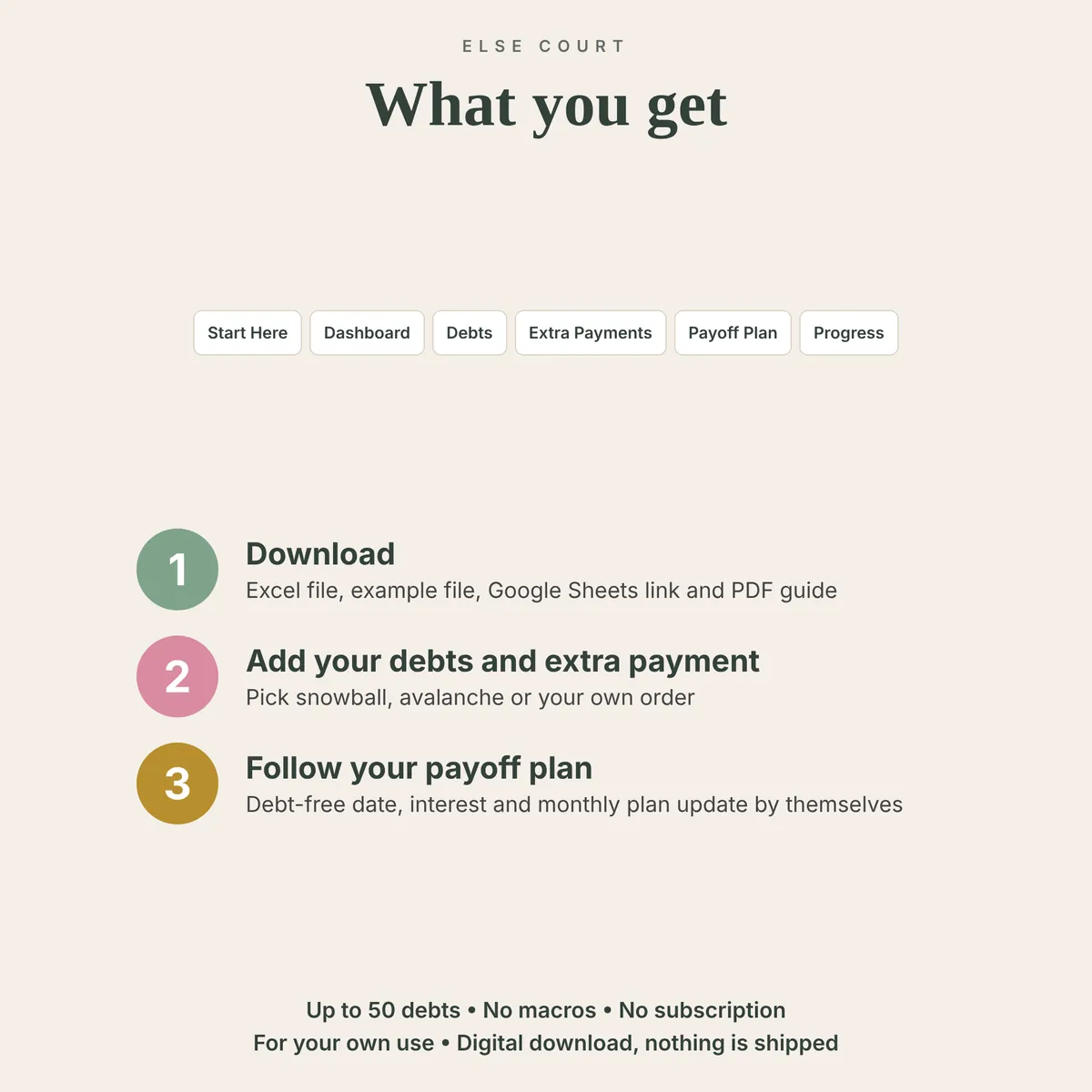
Yes. You get an Excel workbook and a PDF guide with a link to make your own copy in Google Sheets. The two versions are separate files and do not sync.
Does it give financial advice?
No. It is a planning tool. Results depend on the numbers you enter, so confirm balances, rates and payments with your lenders.
Which strategy is better?
Avalanche usually has the lowest interest cost and snowball clears small debts first. The comparison table shows both for your own numbers.
Is there an example file?
Yes. A second Excel file is filled with example data, so you can see how everything works before using your own numbers.
Read the guide